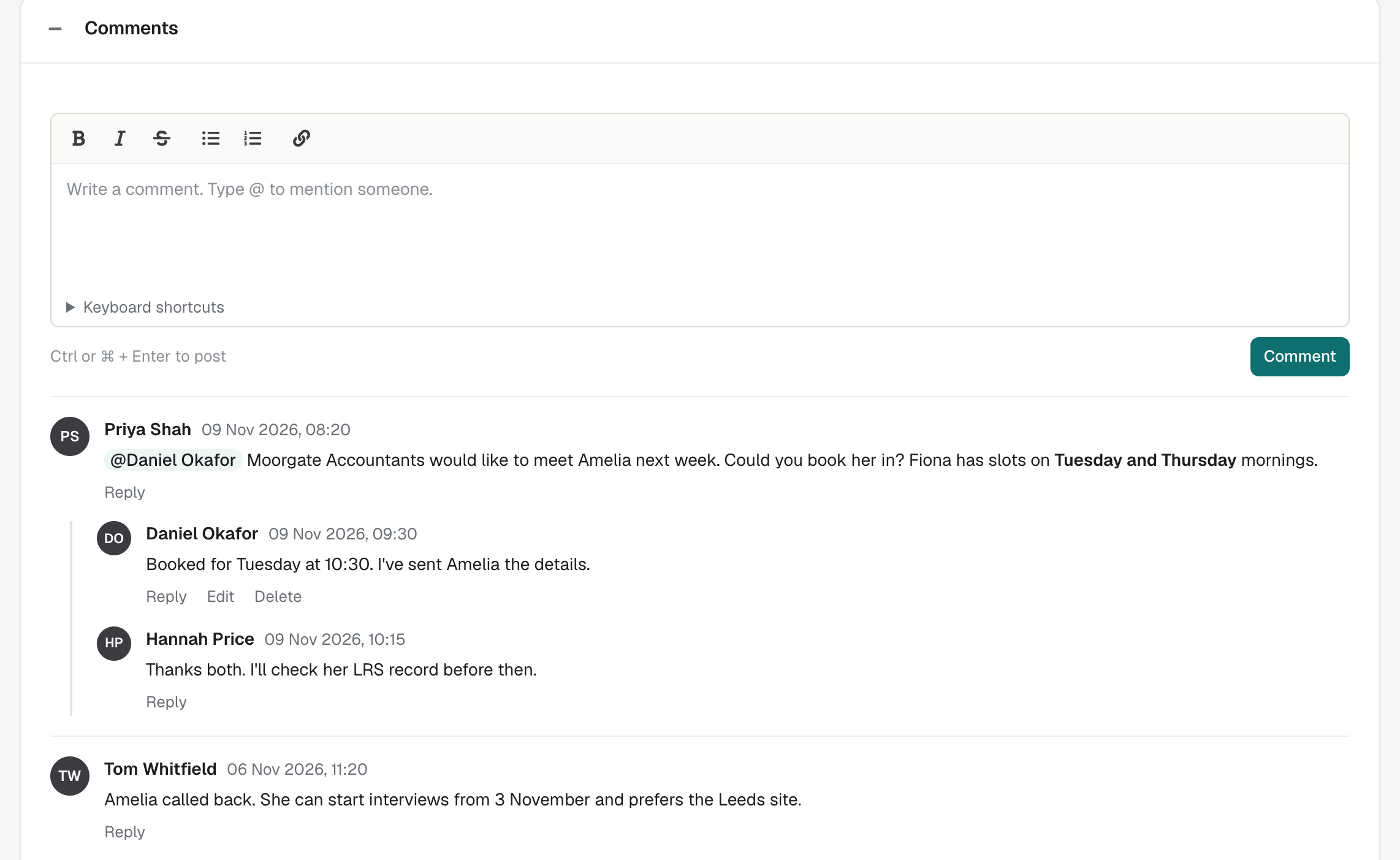
Each Application in enrola now has a Comments panel. Your team can discuss the applicant on the record itself, reply to each other and mention a colleague who needs to act.
Why comments
Conversations about an applicant often happen in email or chat, so the record keeps none of them and nobody new can follow them. Comments keep that discussion with the Application, where everyone who works on it can see it.
Comments take the place of notes
On each Application, the Comments panel takes the place of the notes timeline, and the Notes box stays below it. A comment can have replies, and its author can edit or delete it later.
Mention a colleague
Type @ in a comment and choose a colleague from your organisation. They are notified, and anyone who replies keeps the people already in that thread informed.
The bell at the top of enrola
A bell at the top of every enrola page shows your unread notifications. Opening one takes you straight to the comment on the Application.
An email if you have not seen it
If you have not seen a mention or reply in enrola after about two minutes, enrola emails it to you with the comment’s text. Several at once come as one email.
Choose your emails
Under “Comments and mentions” on your own Edit user page, choose whether these emails come “Straight away” or “Never”. The bell still shows every notification.
Who can see and change comments
- Anyone who can see an Application, including Read Only users, can read its comments and add their own.
- Only the author can edit a comment.
- The author or an Admin can delete a comment. If it had replies, the replies stay.
What a comment can hold
A comment can be up to 5,000 characters, with bold, italic, links and lists.
Read more in the help centre
The help centre explains how to comment on an Application and mention colleagues and how to find out when someone mentions you. Other changes are in product updates.
Questions
Can Read Only users comment?
Yes. Anyone who can see an Application, including Read Only users, can read its comments and add their own.
Can I stop the emails?
Yes. Choose “Never” under “Comments and mentions” on your own Edit user page. The bell still shows your notifications.
Can an Admin edit someone else’s comment?
No. Only the author can edit a comment, but an Admin can delete it.