Connect with one key
A Recruitment API key and your organisation’s UK Provider Reference Number (UKPRN) are all enrola needs to connect to Find an apprenticeship. You add them once in Settings, and every Apprenticeship Opportunity can then be posted from Posting Control.
The rules are checked before you post
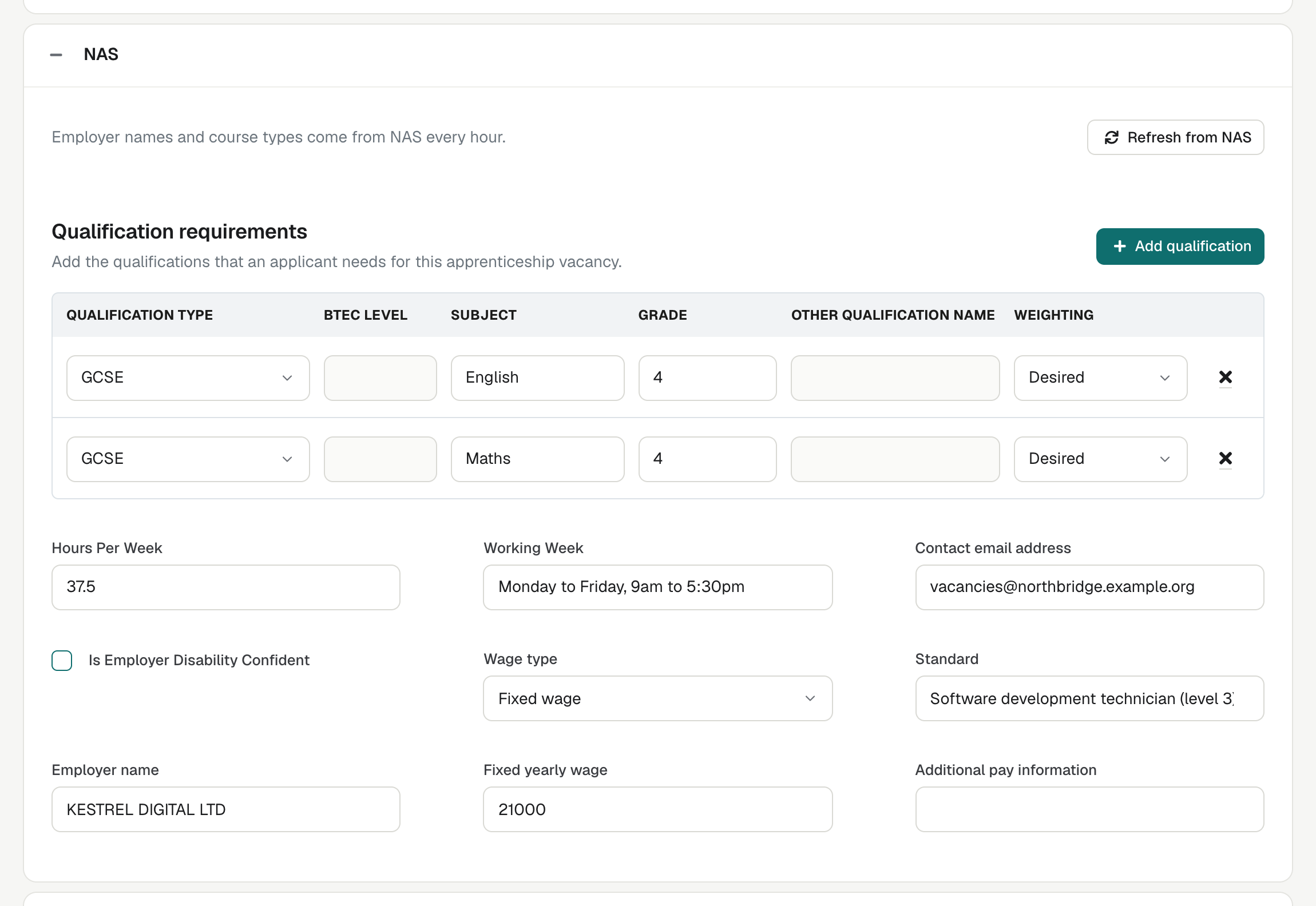
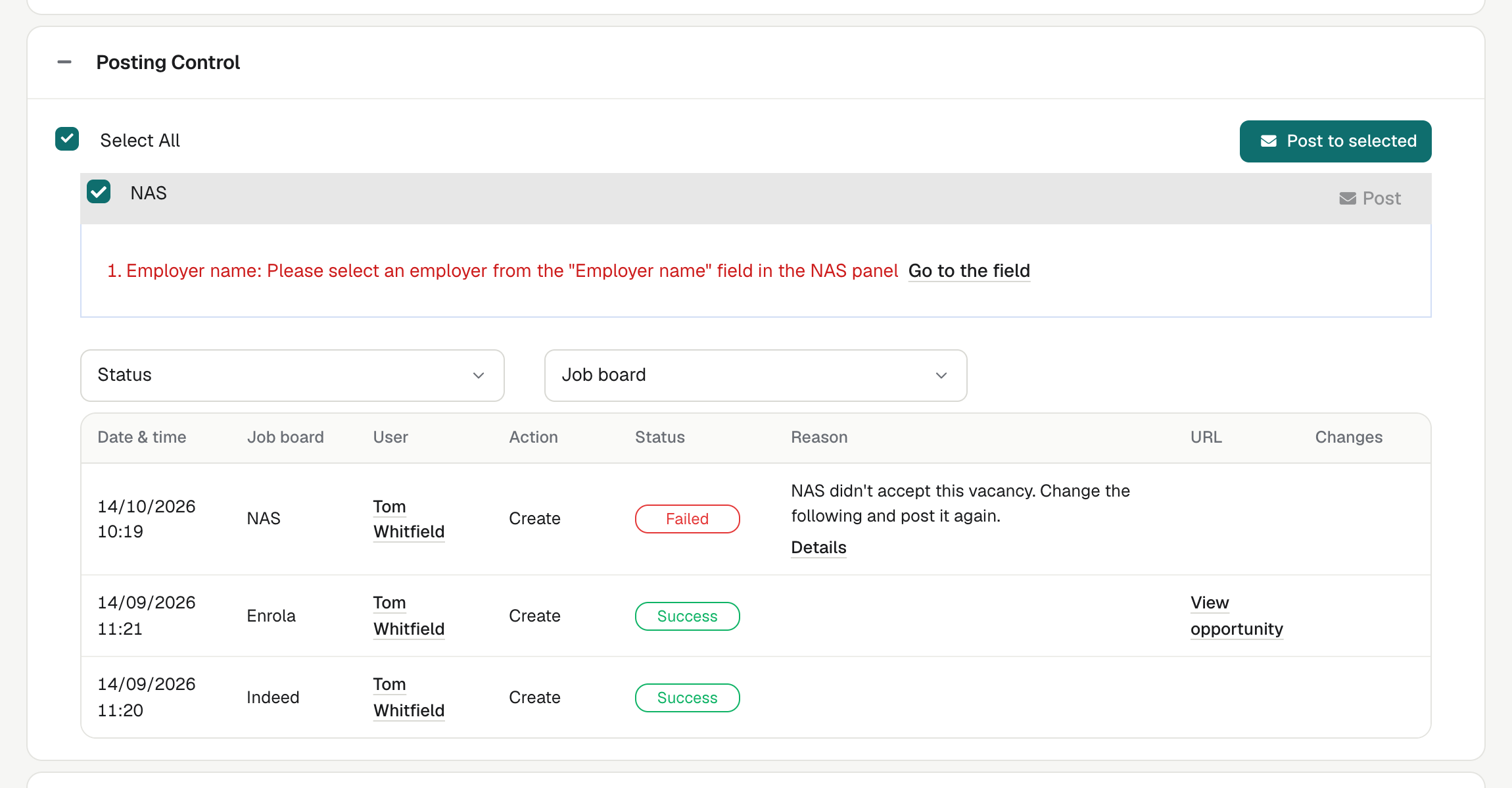
enrola checks an Opportunity against Find an apprenticeship’s rules before it posts, including that the title contains “apprentice” or “apprenticeship” and that the duration meets its 8-month minimum. Posting Control lists any failed checks, each with a link to the field to correct. If a posting still fails, enrola explains why in plain words and names the fields to correct.
See enrola with your own vacancies
Book a demo and the enrola team will show you how enrola would handle your vacancies, applicants and employers.
Reference data stays current
Apprenticeship standards, employer account legal entities and training courses refresh in enrola every hour.
Applications arrive in enrola
Vacancies posted from enrola send applicants to your enrola application form. Their Applications arrive in enrola alongside those from every other board, labelled with the board they came from.
What enrola sends, and what it does not
enrola creates the vacancy on Find an apprenticeship and records the posting in the Opportunity’s posting log. Changes and closures after posting are made in the apprenticeship service, the government’s account for employers and providers.
Posting Control shows the vacancy reference Find an apprenticeship gives the advert, and a link to the vacancy 24 hours after posting.
Every advert is reviewed before it goes live
Find an apprenticeship reviews every advert before it goes live, usually within 24 hours, including adverts sent through the Recruitment API. enrola’s checks catch common problems first, but the review decides whether an advert is published.
How it works
- Add your Recruitment API key and UKPRN in Settings.
- Create an Apprenticeship Opportunity with its standard, employer and wage details.
- Choose Find an apprenticeship in Posting Control.
- Correct anything enrola flags, then post.
- Receive Applications on your enrola form.