Lookups happen as Applications arrive
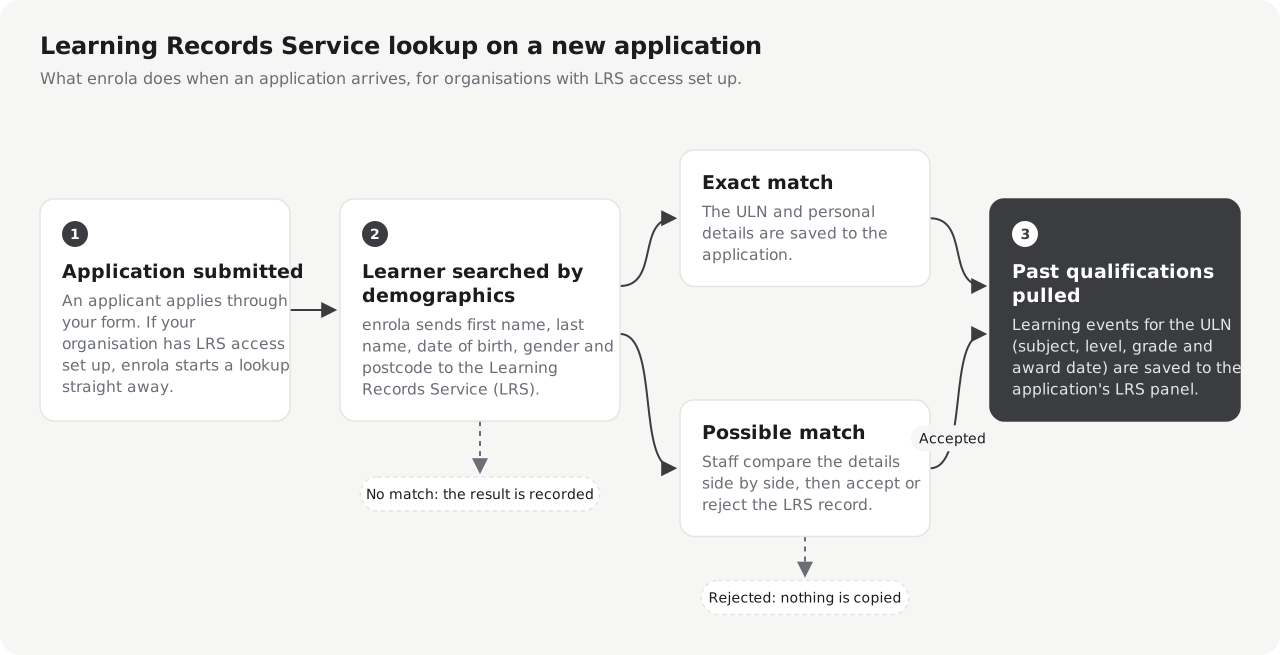
enrola runs the LRS lookup when a new Application is submitted. An exact match records the ULN straight away; a possible match waits for staff, and past qualifications are looked up once a match is exact or accepted.
Staff confirm each match
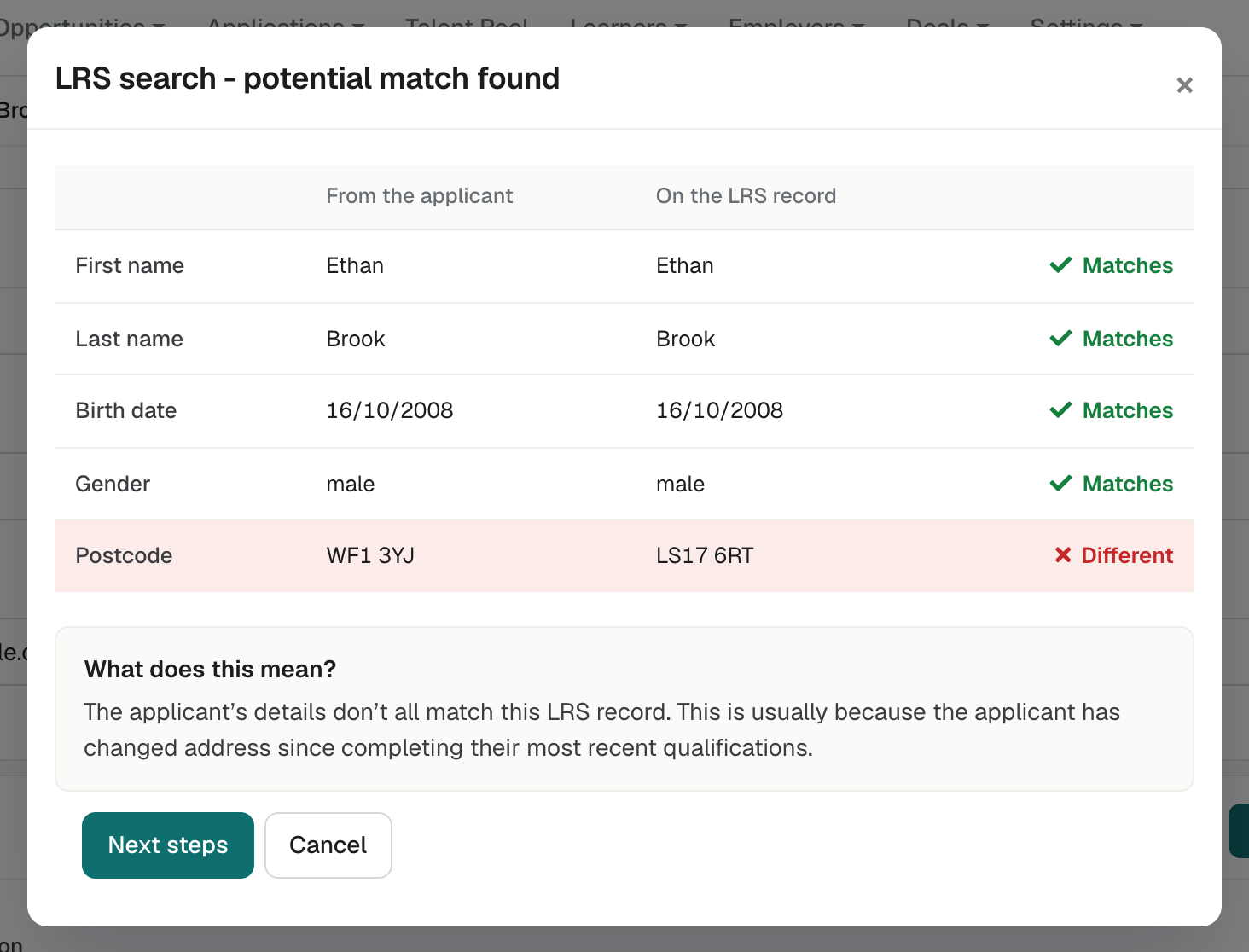
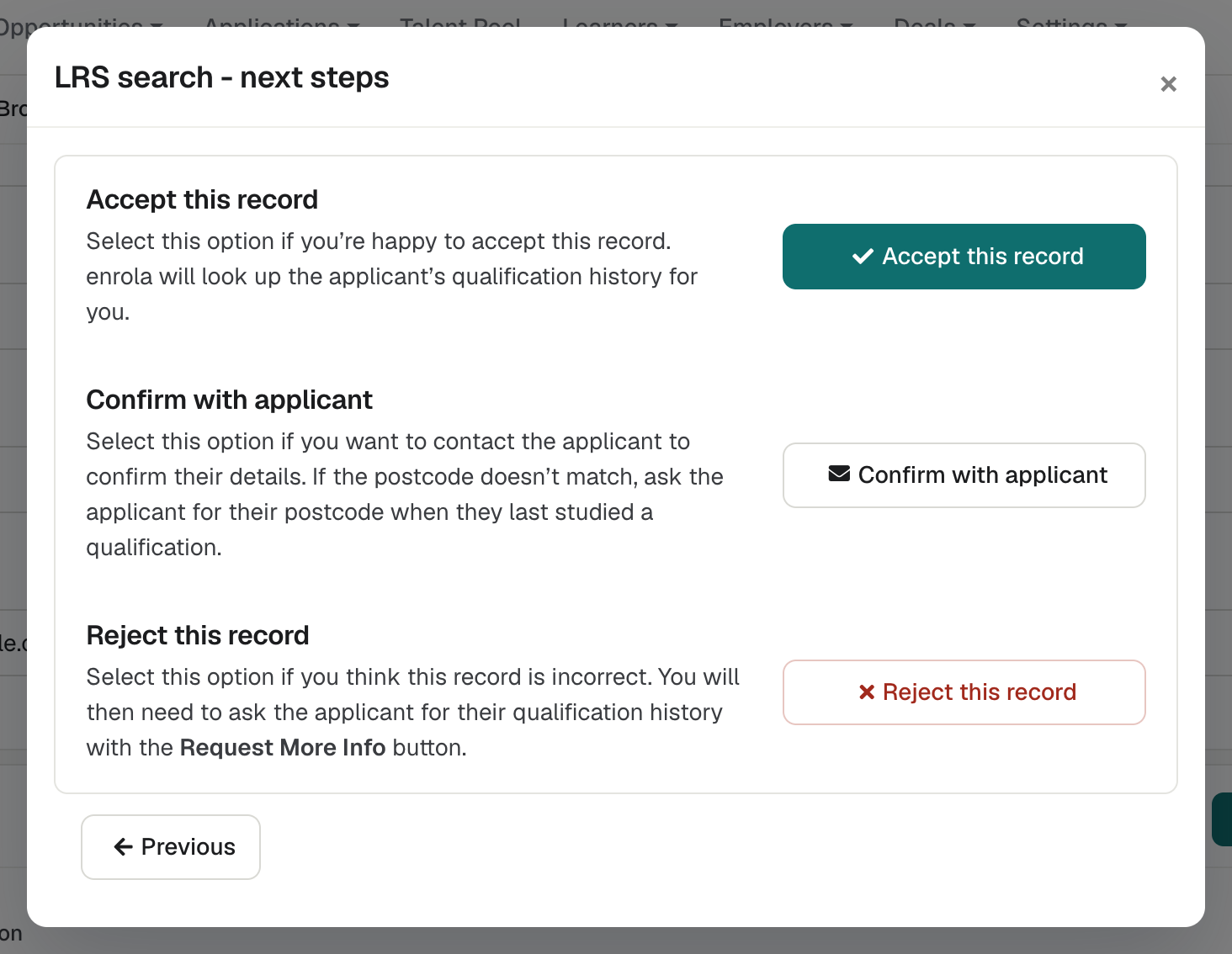
Each Application’s LRS status shows as a coloured label: LRS match, Potential match, No match or No response. A potential match opens the comparison, where staff check the applicant’s details against the LRS record, then accept it, confirm it with the applicant or reject it. Lookups can also run for many Applications at once.
See enrola with your own vacancies
Book a demo and the enrola team will show you how enrola would handle your vacancies, applicants and employers.
Level 2 English and Maths, identified (Beta)
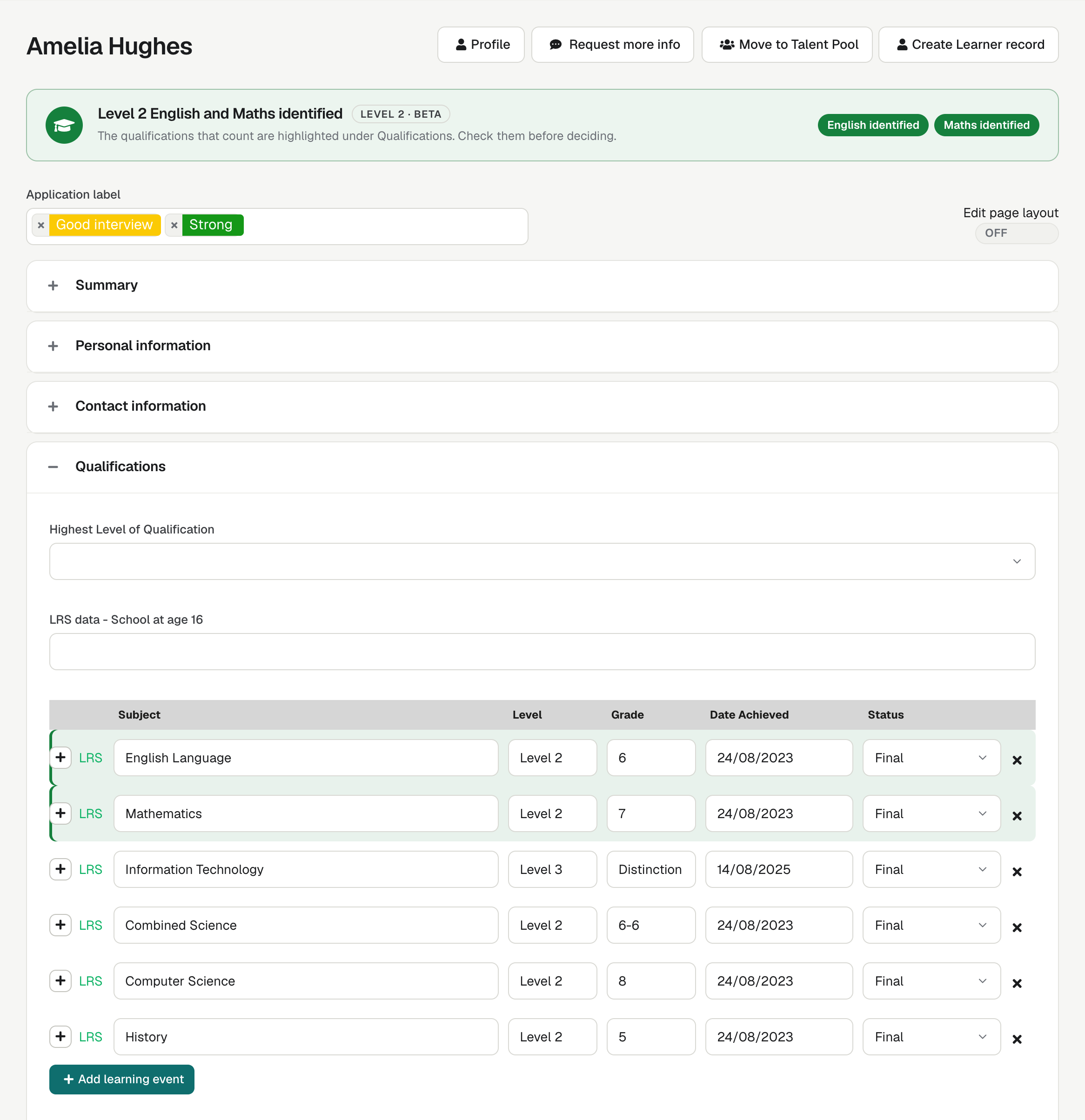
From an applicant’s LRS qualifications, enrola identifies Level 2 English and Maths: GCSE or IGCSE grades 9 to 4 or A* to C, or a Functional Skills Level 2 pass. The Application shows the result and highlights the qualifications that count, and the Applications list has an optional Level 2 column.
Filter by what applicants have achieved
Applications can be filtered by LRS qualification, subject and grade, so you can find applicants who meet a vacancy’s entry requirements.
An empty record is not proof of no qualifications
A Personal Learning Record covers regulated qualifications from 2012 onwards in England, so an empty or partial record does not mean a person has no qualifications. Staff should treat LRS results as one source alongside the application.
Assessment results in the same record
When your organisation has BKSB credentials, enrola fetches each new applicant’s BKSB initial assessment results by their email address. Staff can also look up an applicant’s Selectahead and My Skills Forward results from the Application.
How it works
- Add your organisation’s LRS credentials in Settings.
- enrola looks up each new applicant automatically.
- Staff accept, confirm or reject the possible matches.
- Accepting a match looks up the applicant’s past qualifications.