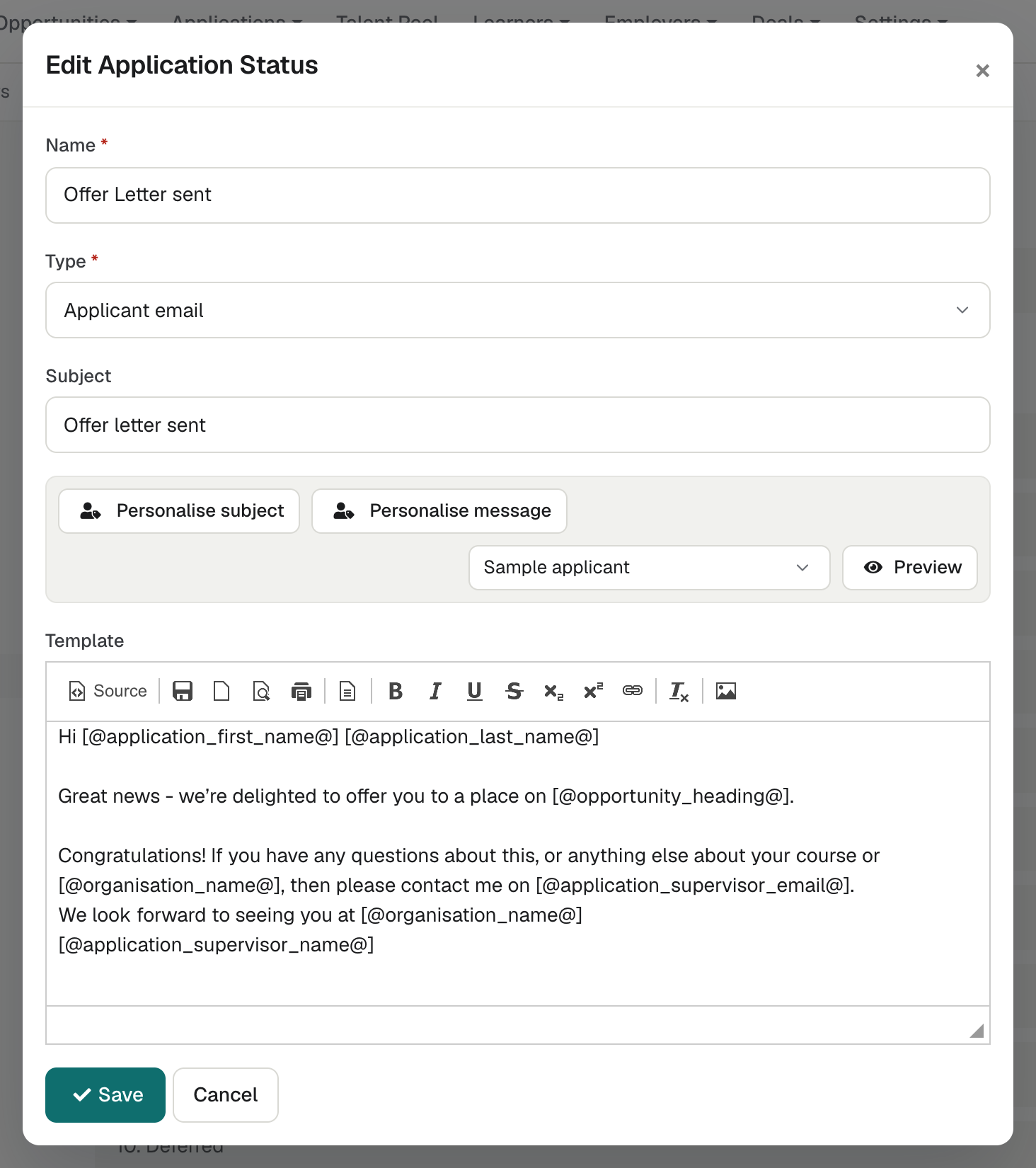
Templates with merge tags
Status emails are templates with merge tags for the applicant, Opportunity, employer, Supervisor, organisation, interview and custom fields. Applicant details inserted into email templates are escaped or cleaned, so text an applicant types cannot add links, images or markup to the email.
Personalise and preview before you send
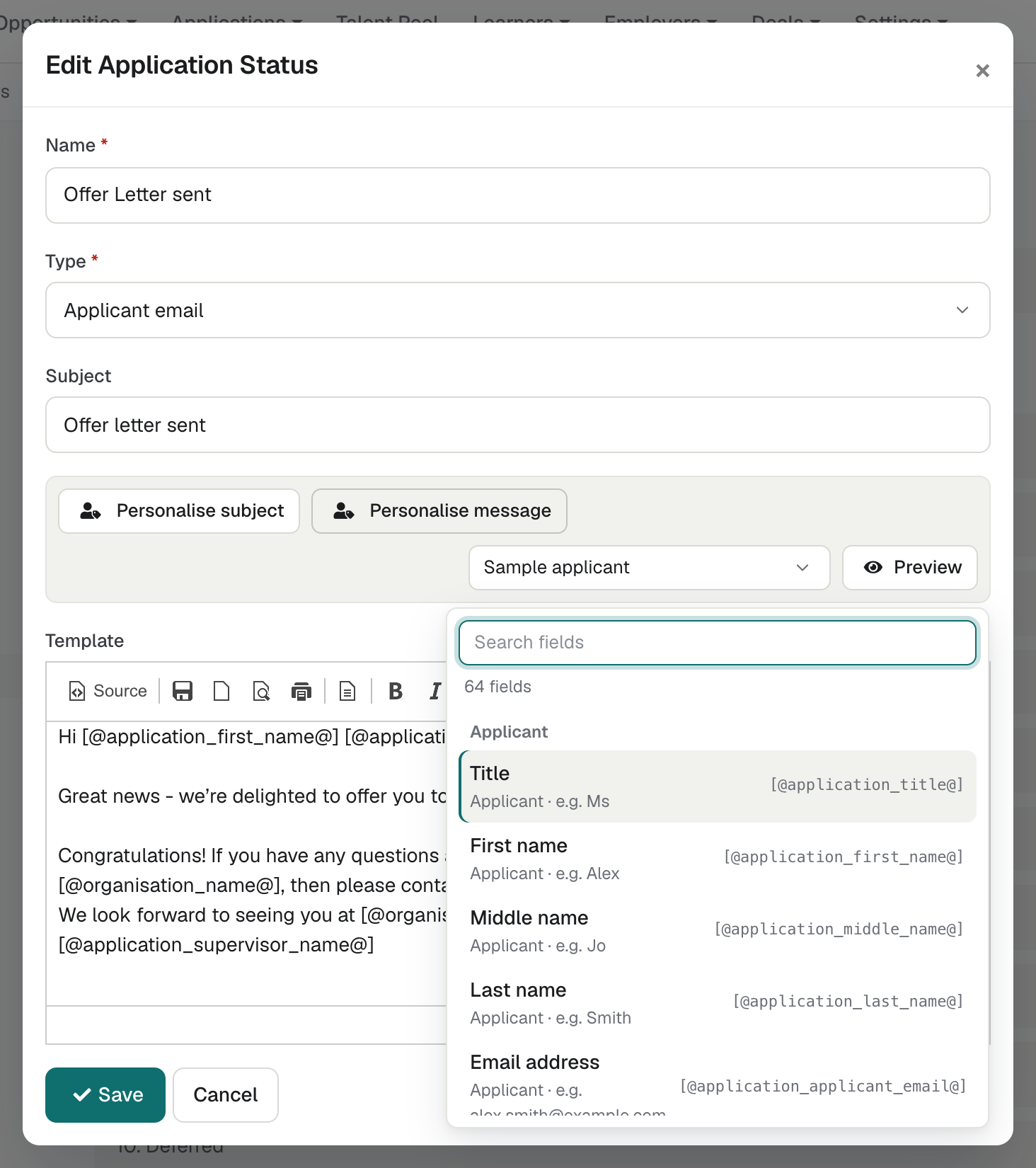
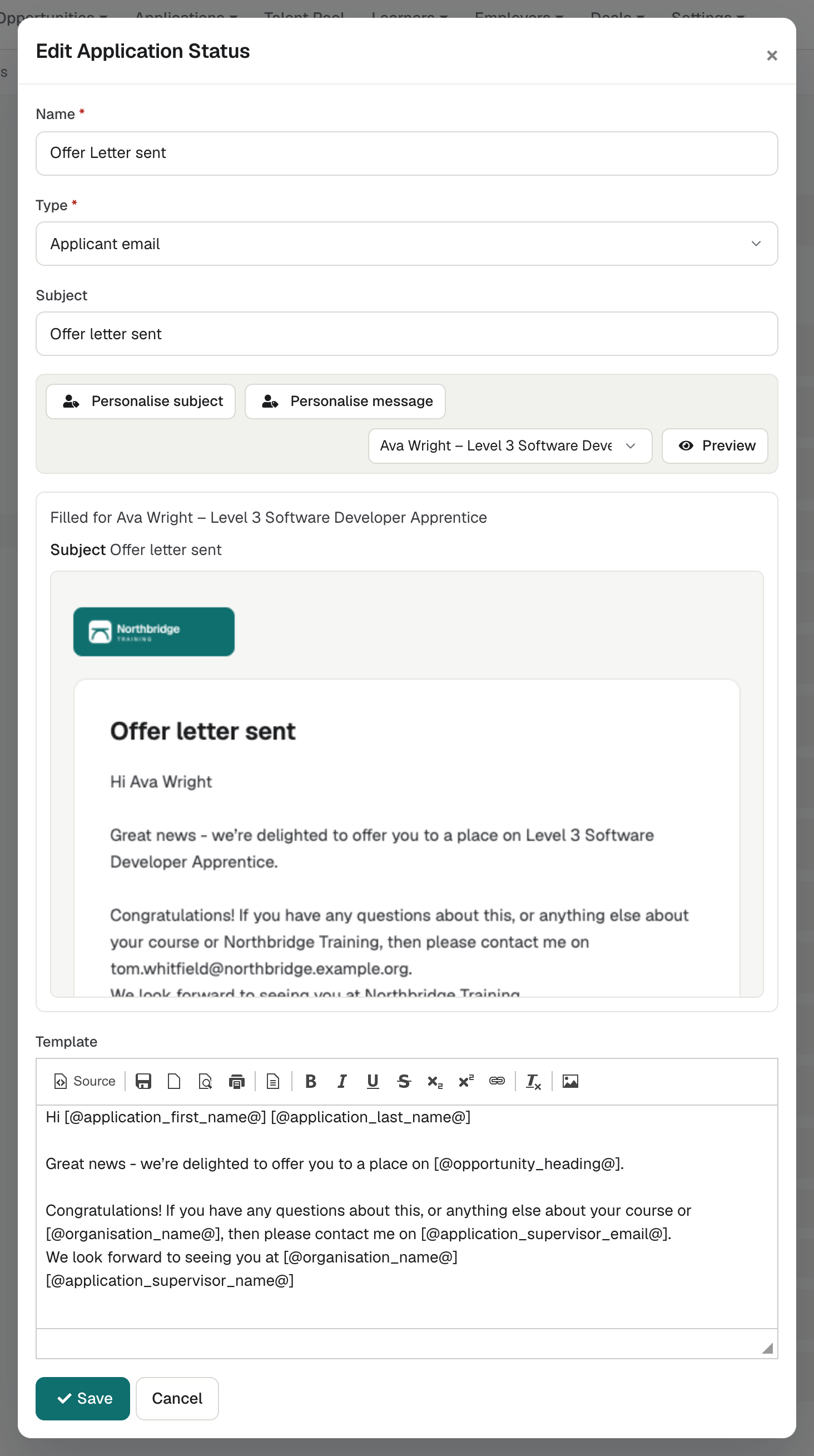
A Personalise picker offers every merge field, and enrola checks them when you save. Renaming a custom field keeps its merge field working. A Preview button shows the email as it will be sent, with sample data or a real record.
See enrola with your own vacancies
Book a demo and the enrola team will show you how enrola would handle your vacancies, applicants and employers.
Closed and reassignment emails
The Vacancy closed and Reassignment emails have the same “Personalise subject” and “Personalise message” buttons as other email templates.
A fallback for empty merge fields
A merge field can have a fallback that shows when the record has no value, such as “there” for a missing first name. A web address can be inserted as a link.
Your branding on every email
Emails use your organisation’s colour and logo. The Application’s history keeps a copy of each status email sent from enrola, including interview invitations and profiles sent to employers.
See what happened to each email
Emails are sent in the background and retried if the mail service fails. View email shows each email’s delivery status, such as sent, rejected or failed, with a timeline of what happened.
Know when emails are not arriving
If the mail service rejects an email to an applicant or Contact, or the address is not valid, their record says emails to it are not arriving until the address is changed. The Applications list can be filtered by it.
Emails when a vacancy closes or an applicant moves
Each Opportunity type can email its applicants when the vacancy is filled or closed. It can also email an applicant moved to another Opportunity, with a tick box in every move.
Emails to many applicants at once
Closing many vacancies at once can email their applicants, each in its Opportunity type’s wording. You can also email up to 500 people in the Talent Pool at once.
Ask for missing information
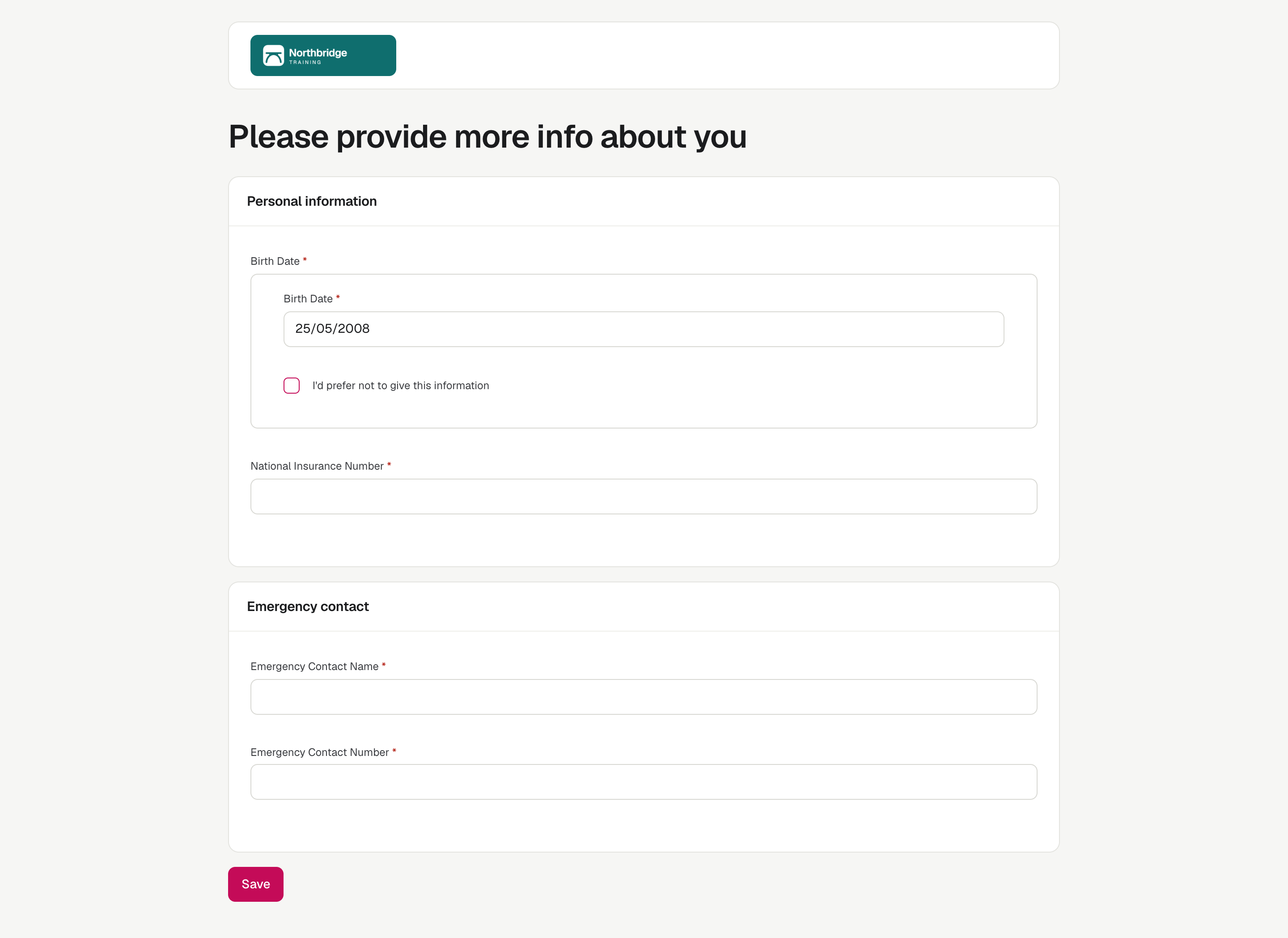
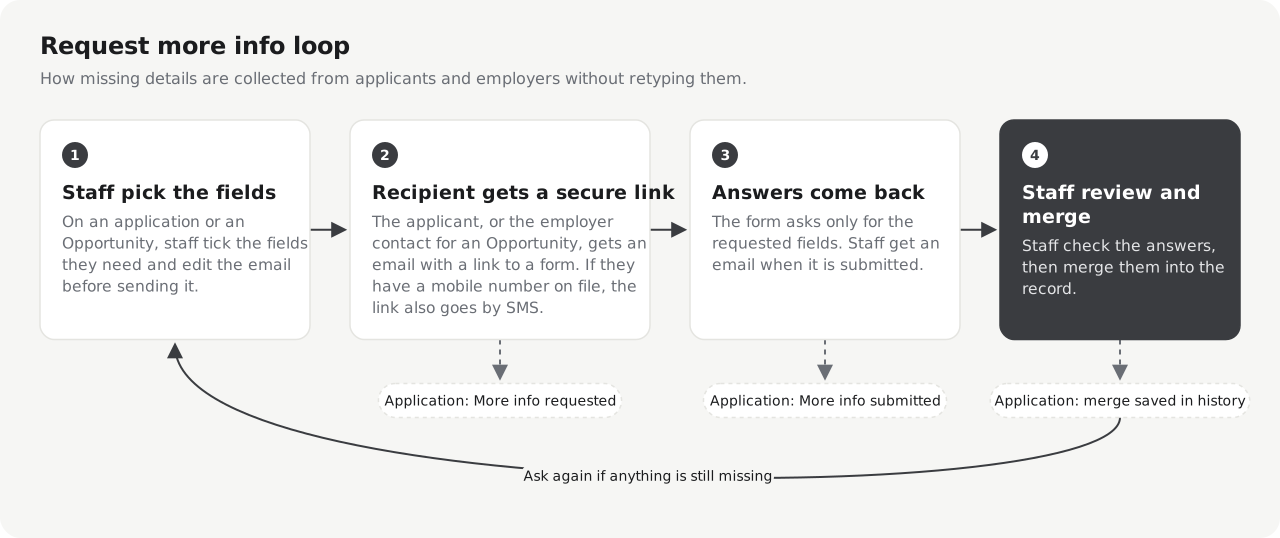
Request more info emails a link to a form for the fields you choose; applicants with a mobile number also receive a text message with the link. Staff review the answers one at a time, each with its own Accept button, before they reach the record.
Forms saved as PDFs
A Form status emails a link to a form you design. The completed form is saved to the record as a PDF and the Supervisor is notified.
Feedback from applicants and employers
A feedback survey asks applicants about response time, advice, updates, service, support and an overall rating. Employers can complete a feedback survey too.
Notifications for your team
Notifications can tell staff about new Applications and tell interviewers about scheduled interviews.