Platform

Find any record and take the data with you

Every main list in enrola has a filter bar, saved searches and adjustable columns, and every list can be exported. Your team finds the records it needs, and you keep control of your data.

Filters are added from one panel, shown as chips above the list and removed with a click.

Filters on every list

Lists of Opportunities, Applications, Employers and Contacts have a filter bar with removable filters. Application filters include Opportunity, referring job board, postcode radius, age, qualifications, apprenticeship standard and status.

Filters that match your organisation

Admins choose which filters each list shows and can turn custom fields into filters. Saved searches can be kept private or shared with the team.

The Talent Pool has its own filters, which Admins choose separately. Each list can also be narrowed to the records one import added, and Applications can be filtered to those whose emails are not arriving.

See enrola with your own vacancies

Book a demo and the enrola team will show you how enrola would handle your vacancies, applicants and employers.

Exports with the columns you choose

Exports let you choose and order the columns, and enrola remembers your choice. Applications can be downloaded as PDFs singly or as a zip, with only the fields you choose, and applicant profiles and completed forms can each be downloaded as a PDF.
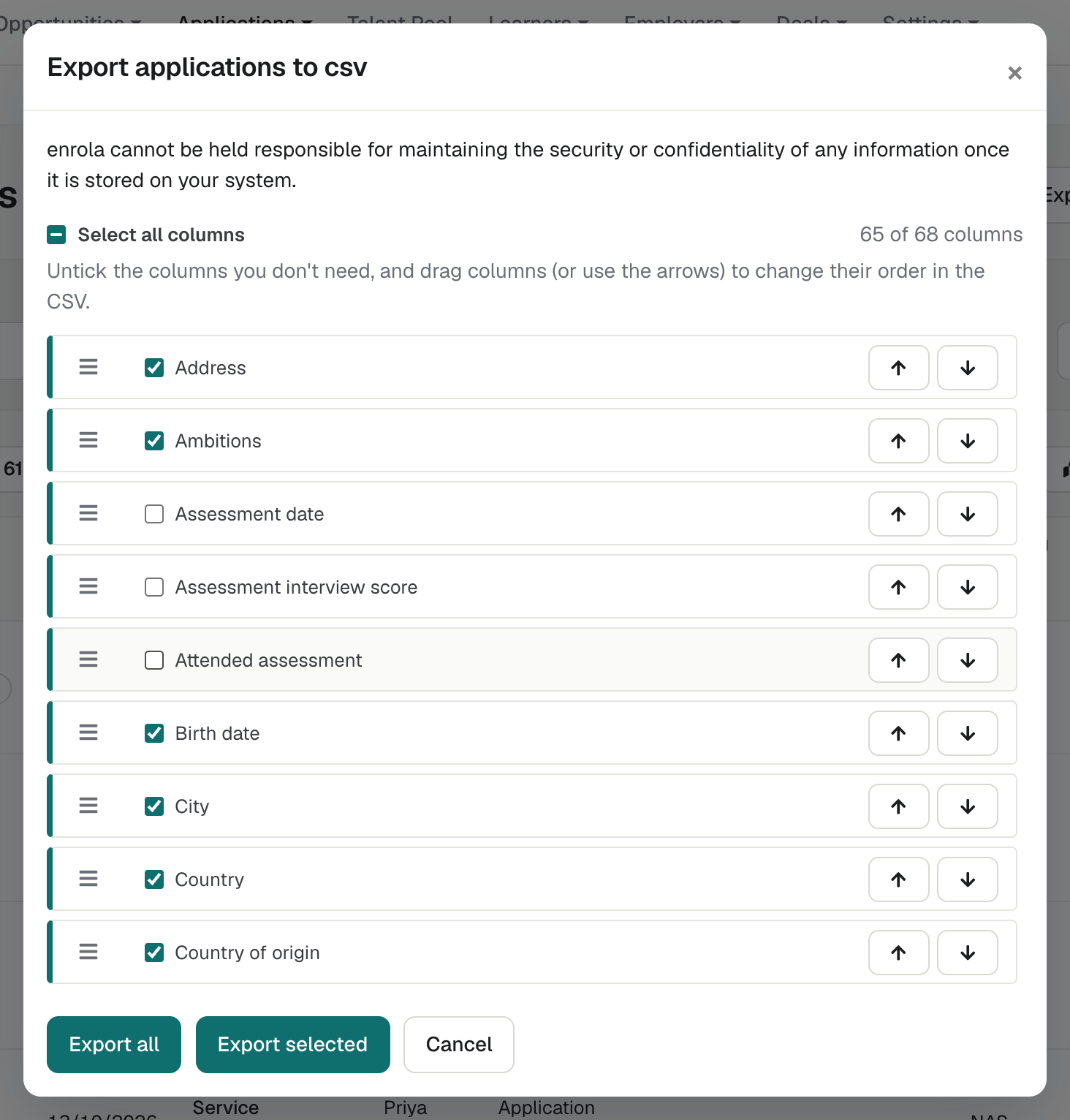
The Export to CSV dialog, with a list of columns to tick and drag into order.
Exports let you choose the columns and their order before downloading a CSV file.

Questions

Can we export our data from enrola?
Yes. Opportunities, Applications, Employers, Contacts and Learners can be exported to CSV, with the columns you choose.
Can we add our own filters?
Yes. Admins can turn custom fields into filters and choose which filters each list shows.
Can we bring data into enrola as well?
Yes. Admins can import Opportunities, Employers, Contacts, Applications and Learners from CSV files, naming related records in words rather than by ID.

Book a demo of enrola

A demo shows how enrola would handle your vacancies, applicants and employers. The enrola team then sets up your organisation.